
This project is scheduled for launch
Launch date: Monday, November 9, 2026 at 08:00 AM UTC
Scheduled
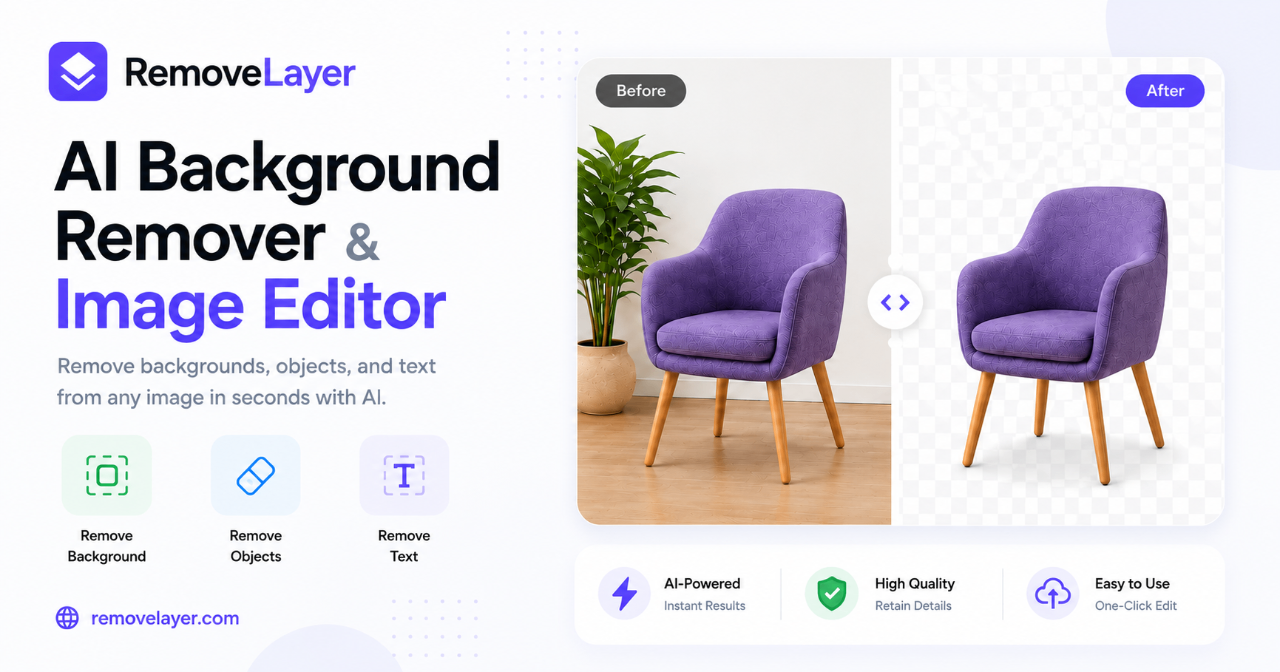
RemoveLayer is an intuitive, AI-powered online platform designed to simplify image cleanup and editing. It enables users to effortlessly remove backgrounds, erase unwanted objects, text, and watermarks, and enhance image quality with precision. This SaaS is ideal for creators, designers, e-commerce sellers, marketers, and everyday users seeking professional-grade image manipulation without complex software.
For professionals and teams, RemoveLayer streamlines the preparation of profile photos and brand assets, ensuring a polished appearance. Everyday users benefit from a quick and easy solution for fixing personal photos, making advanced image editing accessible to everyone.
Key Features:
- AI-powered Background Remover: Instantly create transparent cutouts for products, portraits, and logos.
- Object Remover: Seamlessly erase distracting elements from any image.
- Text Remover: Clean captions, labels, and text overlays with AI reconstruction.
- Watermark Remover: Naturally reconstruct underlying content after removing watermarks.
- Image Eraser: Brush over unwanted areas for AI-powered scene reconstruction.
- Unblur Image: Restore clarity and detail to blurry photos.
Use Cases:
RemoveLayer transforms product photography for e-commerce sellers, allowing them to generate clean, consistent product cutouts for listings, catalogs, and ads without needing extensive Photoshop skills. Marketers and content creators can easily repurpose images by removing distracting text or clutter, ensuring their visuals are always polished and on-brand.For professionals and teams, RemoveLayer streamlines the preparation of profile photos and brand assets, ensuring a polished appearance. Everyday users benefit from a quick and easy solution for fixing personal photos, making advanced image editing accessible to everyone.
Pricing Information:
RemoveLayer operates on a freemium model, offering free online background removal for signed-in users. Paid subscriptions (Plus, Pro, Max) provide monthly credit allowances for higher volume image and video processing, with discounts for yearly payments. Credits are only charged upon successful job completion, and a 30-Day Money-Back Guarantee is available.User Experience and Support:
The platform boasts a user-friendly interface with focused AI workflows, requiring no design experience. Users can preview results before downloading, ensuring satisfaction. Each tool is designed for a single outcome, making the process straightforward from upload to export. Email support is available across all paid tiers, with priority support for higher-tier plans.Technical Details:
While specific programming languages or frameworks are not detailed, RemoveLayer is a web-based application leveraging advanced AI for image processing. Its architecture is designed for fast AI processing and delivers business-ready outputs for various digital platforms.Pros and Cons:
Pros:
- AI-powered precision for various image cleanup tasks.
- Extremely easy to use with focused, intuitive workflows.
- "Preview before you pay" credit system ensures value.
- Commercial license included with paid plans.
- Fast AI processing for quick turnarounds.
- No design experience required.
Cons:
- Specific advanced manual editing controls might be limited compared to full-suite editors.
- Reliance on AI might not always yield perfect results for highly complex images.
- No explicit mention of API access for integration.
Conclusion:
RemoveLayer offers an indispensable toolkit for anyone needing efficient, high-quality image cleanup and enhancement. Its AI-driven approach simplifies complex tasks, making professional results accessible to all. Explore RemoveLayer today to transform your visual content with ease and confidence.Comments
Comments will be available once the project is launched.
Publisher

Launch Date2026-11-09
Platformweb
Pricingfreemium
Tech Stack
#web
Sponsors

DF Tube New (Distraction Free for YouTube™)
Allow yourself to focus while using YouTube™ for work, recreation or education.

ShipThing
Share your product with the world, one small step at a time.
Become a Sponsor
Get your brand featured here
Outbid
View🥇 🥈
🥈 🥉
🥉
Want this spot? Pay what you wantSubmit Your Startup to 100+ Directories | Submitator
Automated startup directory submission service. Get listed on Product Hunt, BetaList, Indie Hackers & 100+ directories for SEO backlinks and DR boost. From $29.
$40
Boost Domain Rating - Boost Domain Rating is a platform to discover and upvote the best tech products. Find top products launching daily.
Boost Domain Rating is a platform to discover and upvote the best tech products. Find top products launching daily.
$35
DirEasy - The Best Directory Boilerplate with AI | DirEasy
The best directory boilerplate, packed with AI, Listings, Payment, Submission, CMS, Blog, Authentication, Newsletter, SEO and more.
$30